
If you are a student, you probably know that math can be frustrating. And this can happen even if you see the final answer to your problem but not the reasoning behind it. A worksheet can show a clean final result, yet the steps that lead there still feel unclear. That is where modern AI math tools can make a real difference: they help students understand how a solution works, and why a specific method fits the problem.
This article explains how AI-powered tools support math learning at school and college levels without replacing the learning process. You will see how photo-based solving works, why step-by-step explanations improve understanding, and how math visualization tools make abstract ideas easier to grasp. You will also discover 7 practical tools that students use for algebra, calculus, and statistics, with brief notes on what each tool does best.
Used with purpose, these tools deliver three main benefits:
- They turn messy input into clear maths. A photo of a worksheet becomes readable notation.
- They make reasoning visible. Steps appear in a logical order, with method choices that you can follow.
- They support practice. You can ask targeted “why” questions and test small variations to confirm you understand the rule.
Used this way, AI becomes a reliable study partner: fast, patient, and consistent—while still keeping the learning in your hands.
What “Math Logic” Really Means in Practice
Math logic is not abstract philosophy. In a student’s day-to-day work, it looks more concrete:
- Choosing the right method for the problem (factorisation vs the quadratic formula; z-test vs t-test).
- Understanding why a step is valid (you can only divide by a value that is not zero).
- Interpreting the result correctly (a derivative as a rate; a p-value as strength of evidence, not “truth”).
AI solvers are most useful when they tell you why they chose a method, not when they just show steps with no explanation.
Statistics: Choosing the Right Test and Interpreting Results
Statistics can feel confusing because the reasoning is often buried under notation. Symbols, assumptions, and distributions can hide what you are supposed to do next. For many students, the hard part is not the calculation. It is choosing the right test or rule.
A good AI tool can surface the missing logic:
- What the question asks (parameter, probability, inference)
- What assumptions apply (independence, normality, sample size)
- What test or model fits (chi-square vs ANOVA vs regression)
- How to interpret the output in plain language
For students who want focused statistics homework help, this is where the workflow can stay honest: upload the problem, follow the reasoning, then redo the same task without the tool. A practical option is to solve stats with AI in a way that encourages step-by-step explanations and adjustable depth, so the “why” sits next to the calculations rather than hiding behind them.
Tool Shortlist: What Each Option Does Best
Now we will look at some tools that help students understand maths logic in practical ways. Some turn photos or PDFs into clear steps. Others break methods down line by line or help with complex calculations or visual intuition. The shortlist below shows what each option does best, so you can choose the right one for your task.
1) Photomath
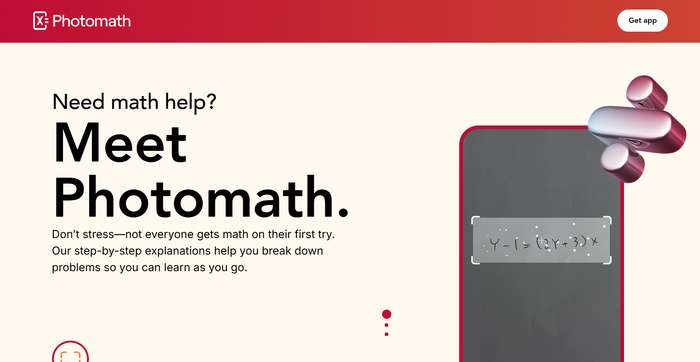
Photomath is built around camera capture and step-by-step solutions. It works well when you want a clean chain of steps from a photographed problem, plus extra explanation features on paid plans.
Best fit:
Algebra to early calculus, especially photo-based homework.Why students use it
- Fast camera capture for fractions, roots, powers, and multi-step expressions.
- Steps stay readable, so you can trace each transformation.
- Paid features usually add deeper “why” explanations and extra guidance.
Watch-outs:
If the task needs interpretation (for example, “explain what this means”), you may need to ask follow-up questions elsewhere.Price:
Free basic tier. Premium costs $9.99 per month or $69.99 per year. It unlocks step-by-step explanations, custom visual aids, and extra “how” and “why” tips.2) Symbolab
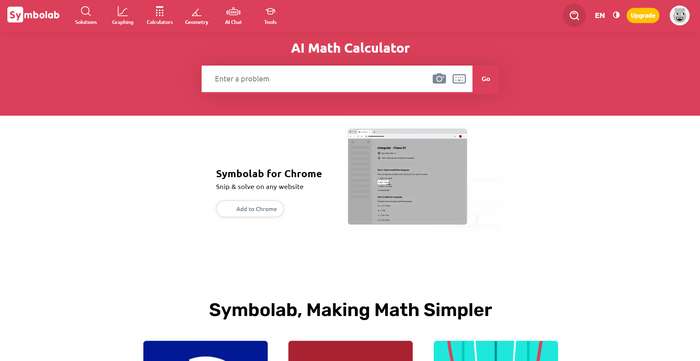
Symbolab sits closer to a step-by-step workbook than Photomath. If the first tool we talked about is great for turning a photo into a clean solution path, Symbolab goes further on the reasoning side. It breaks methods down in more detail and helps you check the rule behind each transformation, especially in algebra and calculus.
Best fit:
Students who want methodical steps and the ability to examine each transformation.Why it stands out
- Strong step depth. It is built for “show me every step”.
- It often labels the method or rule behind a transformation.
- It helps you confirm where your work went wrong, not only that it is wrong.
- It is useful when you want to compare two approaches to the same problem (for example, different solving paths).
- Chrome extension
Limits:
Free tier is limited; Pro costs $6.99 per month, the annual plan is $29.99 and the semi-annual plan is $24.90.3) Mathway
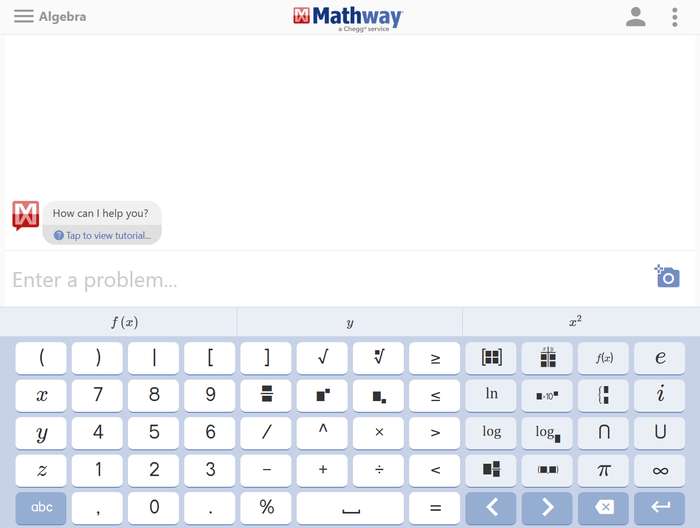
Mathway is a general-purpose solver that covers a wide range of maths topics in one place. It is useful when homework jumps between areas, because you can enter almost any problem and get an answer quickly. Students often use it to confirm results, check intermediate steps, or verify that their setup is correct before they spend time on a longer solution. It works best as a support tool: fast feedback first, deeper reasoning second.
What it does well
- Flexible input (typed and, on many platforms, photo).
- Useful as a “second pair of eyes” for intermediate results.
- Good when assignments mix topics and you do not want to switch tools.
Limits:
Step-by-step details are not always fully accessible without a paid plan.4) Wolfram|Alpha
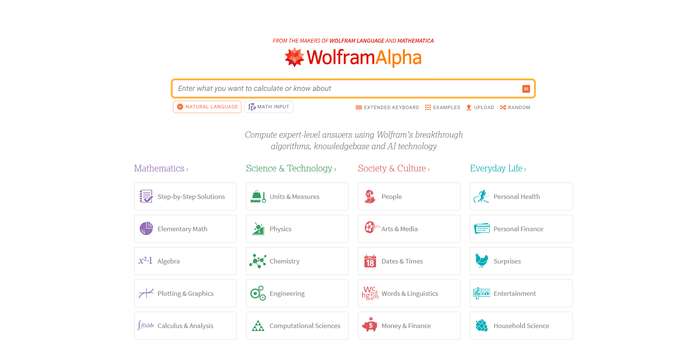
When problems become more technical, Wolfram|Alpha behaves less like a homework helper and more like a computation engine. It is strong with symbolic maths, transformations, and “give me the equivalent form” queries.
Best for:
University maths, complex algebra, calculus, and computations that benefit from a strong engine.Key strengths
- Handles numeric and symbolic input well.
- Great for alternate forms, checks, and derived results.
- Useful when you want more than one representation (exact form, decimal form, simplified form).
- Works well with units and conversions in applied problems.
Trade-offs:
It can feel less guided than step-first solvers unless you use step-by-step features.5) Google Lens homework help
Compared to the tools above, Google Lens works in a different way. It is not a classic “enter a problem, get a full solution” solver. It behaves more like a fast bridge from a photo to the right concept. You scan the question, Lens identifies the topic, and it points you towards explanations and examples that help you understand what you are looking at.
Best fit:
Quick concept refresh from a screenshot or worksheet image.Why It’s Great
- Very fast for “what is this topic?” moments.
- Works across multiple subjects, not only maths.
Limits:
Explanation depth depends on what resources it surfaces.6) EduBrain

EduBrain is an AI solver built for students who want the reasoning to stay front and centre. While many tools show steps in ways that feel too mechanical, EduBrain leans more into the “why” and explains the logic behind each move, especially when the task comes from photos, PDFs, or screenshots. It fits school and college workflows where you study the steps, then practise the same method on a similar problem.
Best fit:
Students who want clear reasoning from image-based school or college problems.Strong points
- Reliable photo/PDF input for fast problem capture.
- Step-by-step explanations that focus on method choice, not only execution.
- Useful for topics where interpretation matters (for example, statistics).
- Adjustable explanation depth, so you can keep it short or ask for more detail.
- Good follow-up flow: you can ask “why this rule?” or “what changes if…?” and keep the same context.
Limits:
It is less suited to dynamic visual exploration than dedicated graphing tools.7) Desmos
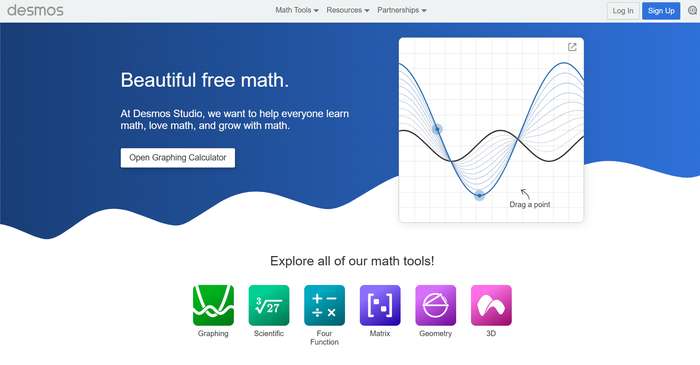
Desmos is a free graphing calculator that helps students see what an equation is doing. Instead of treating functions as static symbols, it turns them into shapes, movement, and patterns. Sliders let you change parameters in real time, so transformations stop feeling abstract. It also works well alongside solvers: after you get steps, Desmos helps you check whether the result makes sense on a graph.
Best fit:
Functions, transformations, systems, and graph-based reasoning.Why it’s great:
- Graph-first clarity: you can see what changing a parameter does.
- Sliders make “what if…?” testing quick and intuitive.
- Tables connect data points to the graph, which helps with interpretation. Useful for spotting mistakes fast (wrong sign, wrong shift, wrong scale).
- Strong for classroom learning and revision, not only homework checks.
Quick Comparison Table
Below you will find a comparison table that shows the features of the various tools and can help you understand which one is best suited to your needs:
| Tool | Best use | Photo input | Step depth | Visual focus | Typical pricing model |
| Photomath | Algebra → calculus from paper | Yes | High | Medium | Free + subscription |
| Symbolab | Detailed worked steps | Yes/typed | Very high | Medium | Free + Pro plans |
| Mathway | Broad coverage, advanced maths | Yes/typed | High (paid) | Medium | Paid step access |
| Wolfram|Alpha | University-level computation | Limited | High (Pro) | Medium | Free + Pro plans |
| Google Lens | Fast explainers from images | Yes | Medium | Low | Typically free |
| EduBrain | Photo/PDF problems with clear method logic | Yes | Medium | Medium | Free options + paid plans |
| Desmos | Graph reasoning + intuition | No (core) | Low | Very high | Free calculator |
A Student Workflow for Clear Math Steps
Students learn more when a solver confirms their reasoning instead of replacing it. Use it for guidance. Make the key choices yourself.
- Try first: Write your first move before you open the solver. Set up the equation, define the variables, or write the formula you think applies..
- Enter the full question: Type it, or upload a clear photo if copying symbols would take time.
- Confirm the method: Check what method the tool uses. If it is not obvious, ask: “Which method should I use here, and why?”
- Predict the next step: Stop after each line and try to guess what comes next. Then reveal the tool’s step and compare.
- Ask one “why” question. Examples: “Why can we divide by this term?” “Why does this distribution apply?”
- Repeat on a similar problem. Change one number or one condition and solve again. If you can do that, you understood the logic.
This is where AI education tools earn their place: they shorten the gap between confusion and a correct, explainable method and without skipping the thinking.
What To Choose, Based On Your Exact Need
Each tool supports a different part of maths learning. Some focus on detailed worked instructions. Others act as strong engines for harder problems. A few are best when the question starts as a photo or a PDF. Visual tools build intuition. Use the guide below to match the tool to your goal.
- You want long worked solutions you can follow line by line: Symbolab or Photomath.
- You need a strong engine for complex or technical problems: Wolfram|Alpha or Mathway.
- You want photo or PDF problems explained with clear method logic: EduBrain.
- You want fast help from a photo with extra context: Google Lens homework help.
- You learn faster when you can see the maths on a graph: Desmos.
Conclusion
AI math tools have moved past “instant answers.” The best options now expose method choice, reveal intermediate logic, and support a tight loop of attempt → explanation → retry. Camera input removes friction, step-by-step chains reduce guesswork, and interactive visuals help concepts settle.
Used with a simple habit, predict the next step before you reveal it, these tools can turn homework from a scoreboard into a training ground. That shift is where real confidence comes from: not from perfect answers, but from repeatable logic you can carry into the next problem.
Related Calculators
In case you have any suggestion, or if you would like to report a broken solver/calculator, please do not hesitate to contact us .